Instagram rolls out new features including map, reposts and Friends Reels tab
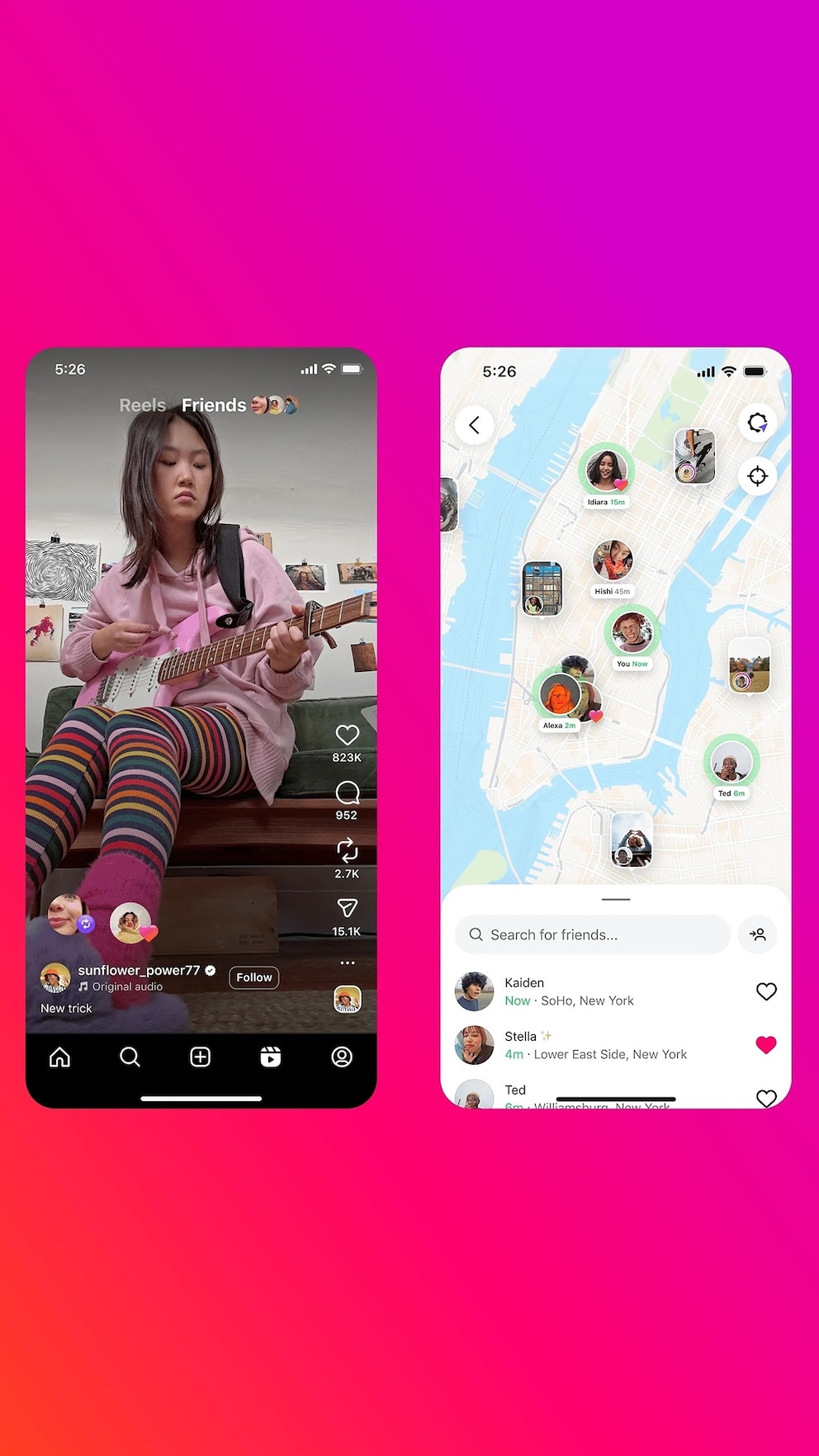

Instagram has rolled out a new slate of new features it says will help users better connect with friends, from reposts to updating locations and more.
Below, find out what you should know about the new Instagram features, how to use them, and what to do if you're concerned about privacy.
What are the new Instagram features?

Meta, Instagram's parent company, announced several new updates to the popular photo and video sharing app on Thursday including reposts, a new "Friends" tab and maps to connect further with friends through content.
Repost Reels and posts
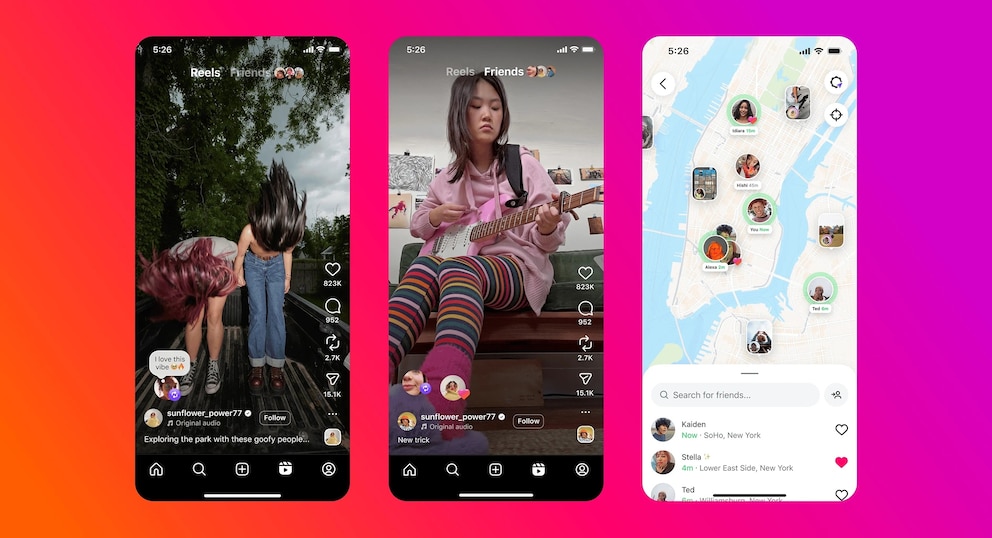
Users can now repost Reels from public profiles and in-feed posts to share with their own followers.
The reposted content, which is credited to the original poster, will go to friends' and followers' feeds and appear in a separate profile tab to make it easier to look back at the content you've reposted.
New Instagram map to share location
Users can "choose to responsibly share your location with friends you pick" using the new Instagram map, Meta said Thursday.
Adam Mosseri, the head of Instagram, shared an update on his account with a more detailed explanation, clarifying the opt-in nature of the new map feature.
"Your location will only be shared *if* you decide to share it, and if you do, it can only shared with a limited group of people you choose," he wrote in the caption of a post. "To start, location sharing is *completely off.*"
For those who decide to share location, Mosseri said the three audience-sharing options are "(1) a custom list you make, (2) your Close Friends list, or (3) or followers you follow back."
When users share locations in their stories, they will show up on the location map for 24 hours.
Mosseri added that "as always with Stories, this only shows the place you tagged to your followers -- it does not share your real-time or live location."
Additionally, Meta said Thursday that parents with Instagram supervision set up for their teens "have control over their location sharing experience on the map."
"You will receive a notification if your teen starts sharing their location, giving you the opportunity to have important conversations about how to safely share with friends," the company said. "You can decide whether your teen has access to location sharing on the map and see who your teen is sharing their location with."



Friends tab in Reels
The third new Instagram feature Meta announced Thursday is the so-called "Friends" tab in Reels, which the company said will allow users to see "public content your friends have interacted with, or recommendations from Blends you've started, and easily start conversations about them."
The new feature, which Meta said began rolling out "earlier this year" before launching globally, can be found at the top of the Reels tab.
"We're also rolling out controls for what's shown in the Friends tab, including the ability to hide your own likes and comments on reels, and to mute activity bubbles from specific people you follow," the company said.
To edit or opt out of the Friends Reels activity feature, users can go to their "Settings and activity" page, scroll down to "Activity in Friends tab" and select the audience with whom they wish to share their Reels activity, which includes an option to share the activity with "no one."
ABC News' Melanie Schmitz contributed to this report.